Support
- Introduction
- Where Should I Start?
- How Can I Track the Scope Changes?
- Summary of the Scope Changes
- Seeing What Issues Caused the Scope to Change
- How Can I See Scope Changes in Past Sprints?
Introduction
- Scope Keeper is a Jira extension for Scrum teams, which helps tracking changes in the sprint scope and helping teams to stick to the originally agreed scope.
- Its main goal is preventing the project scope to drift. It is a simple tool which focuses on this objective.
- Scope drift occurs when during a sprint the scope of the work changes in an uncontrolled way. This may lead to delays in delivery, missed deadlines and loss of confidence in sprint goals.
- Scope Keeper addresses these issues by making scope changes visible to teams so that they have a tool to prevent such issues.
- Scope Keeper has the goal of helping teams sticking to their sprint goals to foster productivity and efficiency.
Where Should I Start?
- If you haven’t installed the Scope Keeper application yet please visit the application page on Jira.
- Once you have installed the app and added it to your project navigation, you can access the Scope Keeper application by clicking on the application tab.
- The first step is to create a snapshot of a sprint at a given point in time.
- If there is no current snapshot for the active sprint you can click on the button "Create a snapshot".
- Afterwards, you will be able to track all scope-related changes in the current sprint.
How Can I Track the Scope Changes?
- Once you have created a snapshot for the current sprint, you will see the following information:
Summary of the Scope Changes
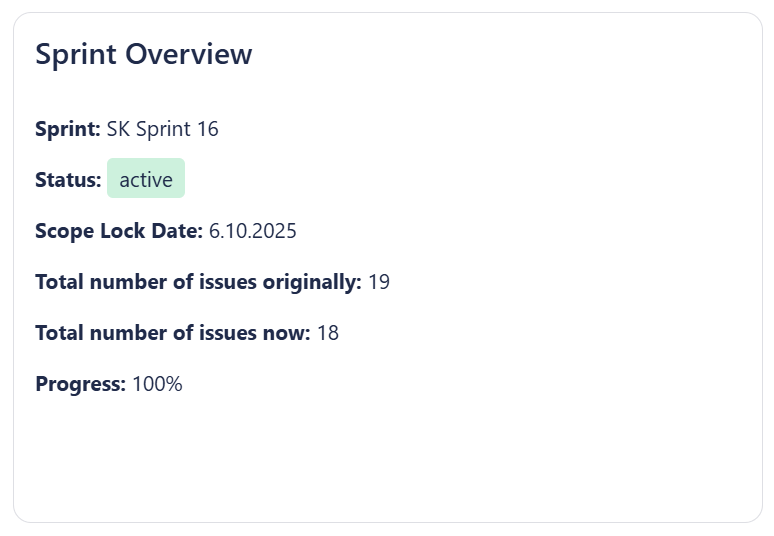
- The Sprint Overview panel displays a summary about changes happening in your sprint scope.
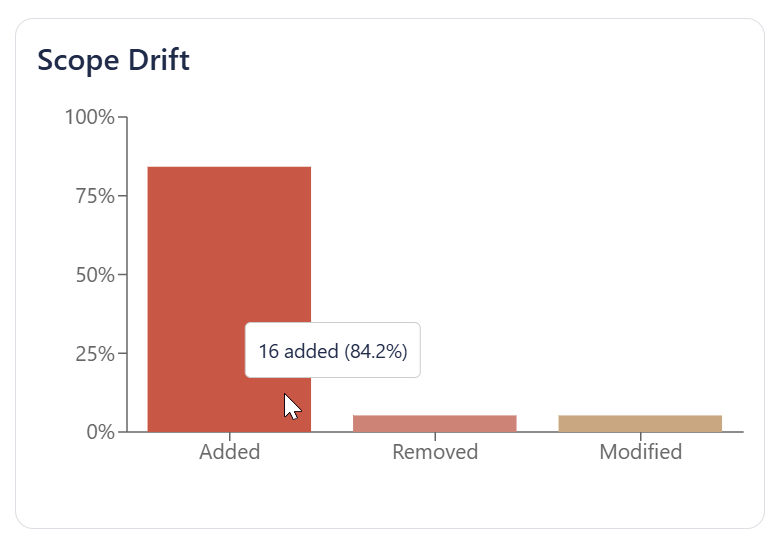
- Another diagram displays a list of all added, removed and modified issues of the current snapshot.
Seeing What Issues Caused the Scope to Change
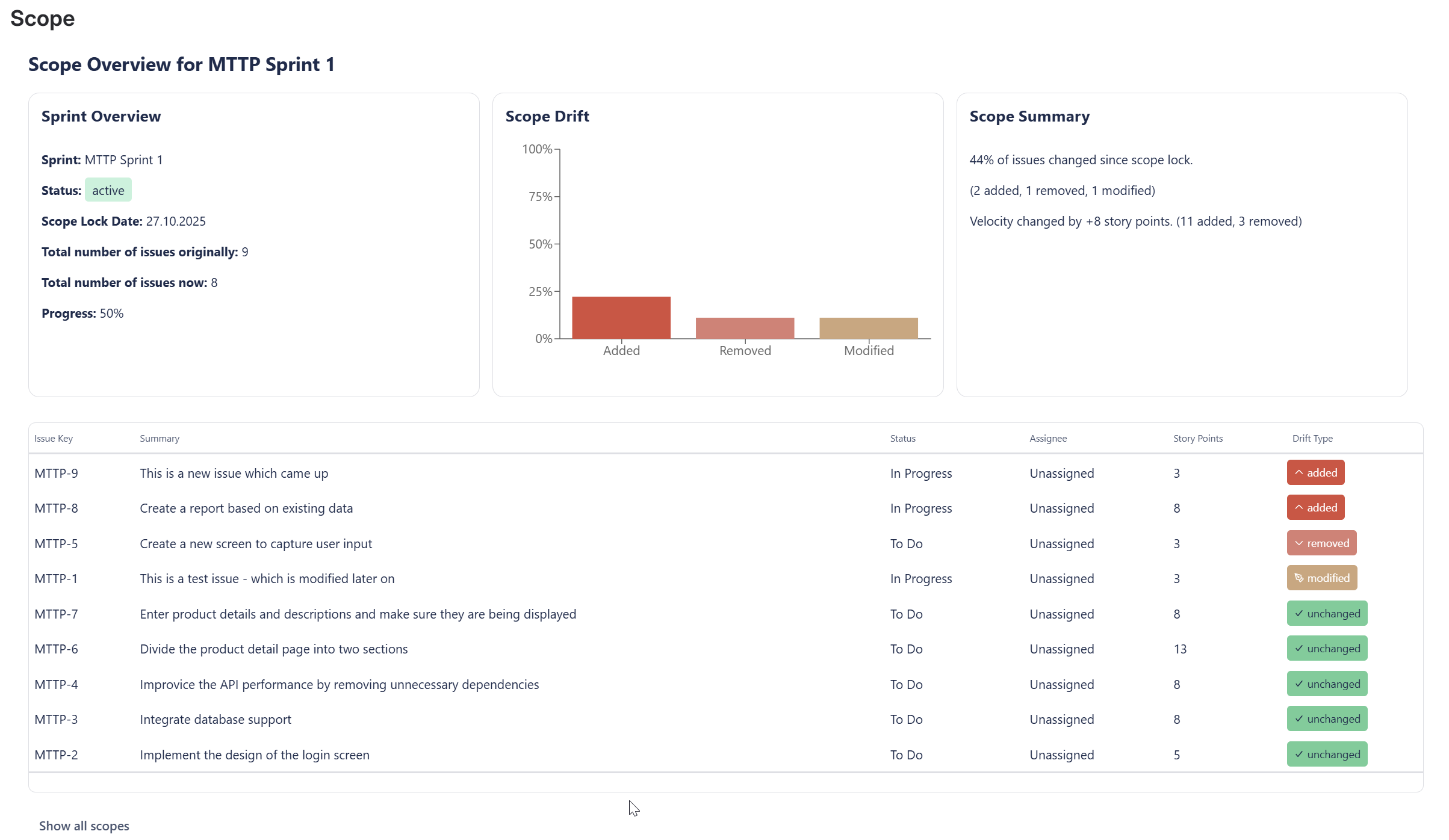
- Scope Keeper includes a view of the individual issues, which were added, modified or deleted since the scope snapshot has been created.
How Can I See Scope Changes in Past Sprints?
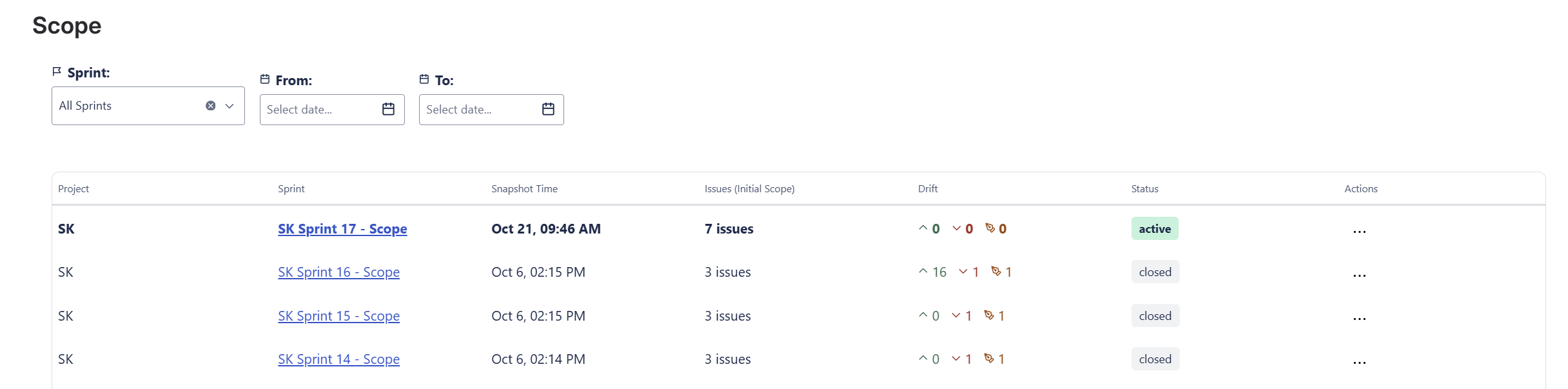
- You can click on the button "Show all scopes" to see a list of all scope snapshots which were created so far.
- You can then click on an individual scope detail to see the detail information about that scope.